





Buy/Sell Instantly
with Quick Trade
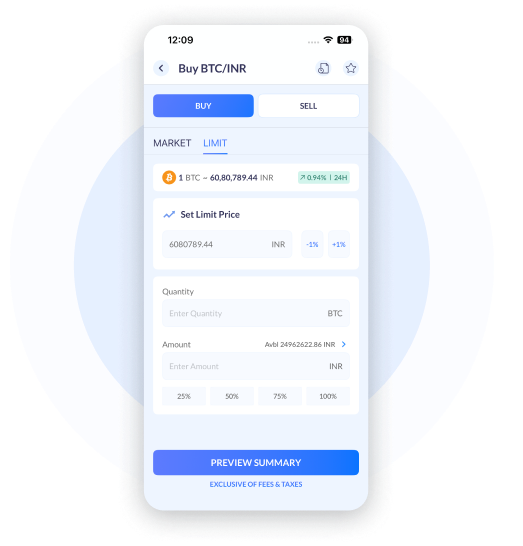
Effortlessly invest in 300+ pairs instantly using Quick Trade. Place orders using the Market or Limit functionality with minimum slippage and best fees.

Minimal Transaction Fees

Guaranteed Execution

Minimal Slippage

Competitive Prices
Quick Trade in 3 Simple Steps

1
Go to Quick Trade tab and
input the crypto amount you want to purchase or sell.

2
Tap on Buy or Sell
button

3
Check the trade summary screen and confirm to execute
EUR-Crypto &
Crypto-Crypto Trading
INR-Crypto &
Crypto-Crypto Trading
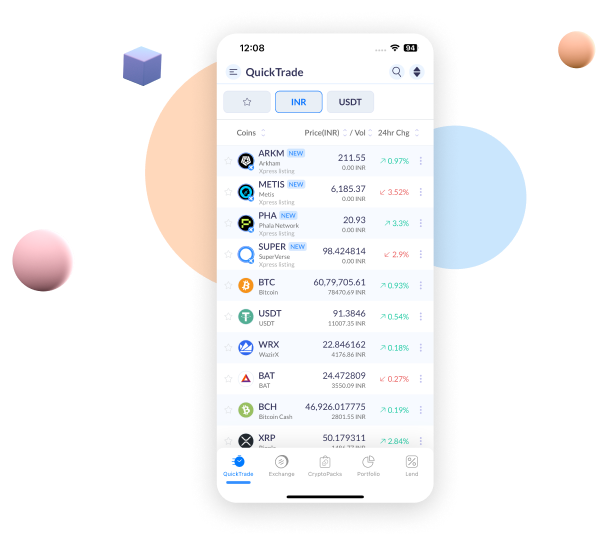
Trade across 300+ INR-Crypto pairs and Crypto-Crypto pairs across Bitcoin, Ether, Litecoin, Ripple, Bitcoin Cash and EOS.
Explore a Range of Features on Quick Trade
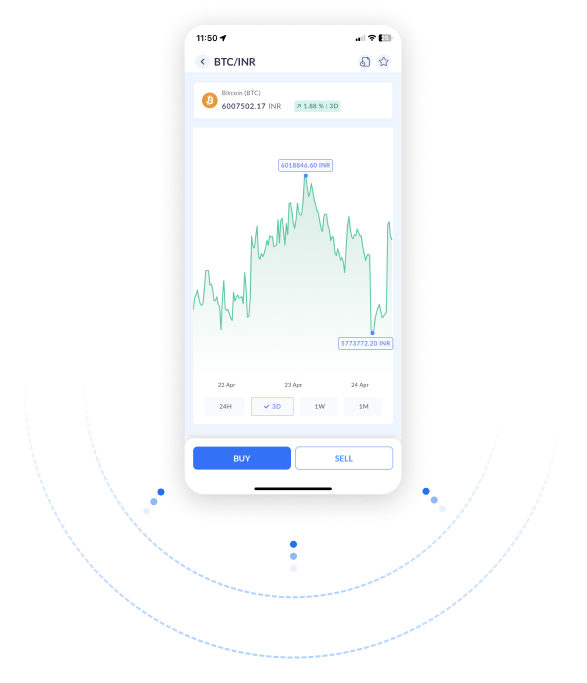
Invest with ease using price charts, volume indicators, and instant order placement with market and limit orders. Bitcoin, Ethereum, Solana, and 300+ pairs are available at the click of a button.
Quick Trade vs Open Order Book

Set Rate Alerts
Stay updated on the latest crypto prices with the
‘Rate Alerts’ feature

Trade Across Devices
From small screens to big, we’ve got you covered
Robust API.
Endless Possibilities
Use our ‘Build’ platform to unleash your creativity
Questions you may have
01 What is ZebPay Quick Trade?
ZebPay Quick Trade is an instant crypto buying and selling feature available on the ZebPay app in India. It allows users to trade across 300+ INR-Crypto and Crypto-Crypto pairs using Market or Limit orders with guaranteed execution, minimal slippage, and competitive pricing, all without needing to navigate a traditional order book.
02 What is the difference between Quick Trade and an Open Order Book on ZebPay?
Quick Trade on ZebPay is designed for instant execution, you get a confirmed price immediately with no need to wait for a buyer or seller to match your order. An Open Order Book lets you place limit orders at a specific price, but execution depends on market liquidity and matching. Quick Trade is ideal for traders who prioritise speed; the Open Order Book suits users who want price control and are comfortable with execution delays.
03 How do I buy crypto instantly on ZebPay using Quick Trade?
To buy crypto using Quick Trade on ZebPay: (1) Open the ZebPay Platform and go to the Quick Trade tab. (2) Select the crypto pair you want to trade and enter the INR amount or crypto quantity. (3) Choose Market Order for instant execution at the best available price, or Limit Order to set your target price. (4) Review the trade summary screen and confirm. Your crypto is credited to your wallet immediately upon execution.
04 What crypto pairs are available on ZebPay Quick Trade?
ZebPay’s Quick Trade supports over 300 trading pairs, including INR-Crypto pairs (e.g., BTC/INR, ETH/INR, SOL/INR) and Crypto-Crypto pairs (e.g., BTC/ETH, ETH/USDT). The full list is available on the ZebPay Platform.
05 What are the transaction fees for Quick Trade on ZebPay?
ZebPay’s Quick Trade charges a fee of 0.5% onwards per transaction. The fee is transparent and displayed on the trade summary screen before you confirm any order. Note that 1% TDS is applicable separately on all crypto transactions as per government regulations effective 1st July 2022.
06 Is Quick Trade on ZebPay safe for buying crypto in India?
Yes, ZebPay’s Quick Trade is a secure platform for buying and selling crypto in India. ZebPay is one of India’s oldest and most trusted cryptocurrency exchanges, operating since 2014. The platform uses multi-stage security protocols, 98% of user funds are stored in multi-signature cold wallets, and all Quick Trade transactions are executed with guaranteed order fulfillment. ZebPay is registered with the Financial Intelligence Unit (FIU-IND) under India’s PMLA framework.
07 Can I set price alerts for crypto on ZebPay Quick Trade?
Yes, ZebPay’s Quick Trade includes a Rate Alerts feature that notifies you when a cryptocurrency reaches your target price. You can set custom price alerts for any supported coin directly from the ZebPay app. Once the price is hit, you receive a push notification so you can act immediately using Quick Trade.
08 Does ZebPay Quick Trade support Limit Orders?
Yes, ZebPay’s Quick Trade supports both Market Orders and Limit Orders. A Market Order executes instantly at the best available price with minimal slippage. A Limit Order lets you specify the exact price at which you want to buy or sell crypto, the order executes automatically when the market reaches that price. Both order types are available directly from the Quick Trade interface on the ZebPay Platform.
09 Can I trade crypto on ZebPay from a desktop or laptop?
Yes, ZebPay platform is available across multiple devices. You can trade using the ZebPay mobile app (Android and iOS) as well as via the ZebPay web platform on desktop and laptop browsers. Your account, wallet balance, and trade history sync across all devices in real time.
10 Does ZebPay offer an API for automated crypto trading via Quick Trade?
Yes, ZebPay provides a robust REST API that allows developers and algorithmic traders to integrate Quick Trade functionality into their own systems and bots. The ZebPay API supports programmatic order placement, real-time price feeds, account balance queries, and trade history. Documentation is available on the ZebPay Build platform for developers.